Files and Source Control
Inspect the working tree, open files in the editor, and review the current turn through normal Git changes.
Axocoatl runs coding agents on your own machine or infrastructure. Trust rests on things the host does whatever the model says: where tools run, who may write, which checks must pass, what a run may spend, what gets recorded, and which model each Agent uses. This page states each one and where it stops.
Native Session repository tools run in a rootless Podman container with no-new-privileges and dropped capabilities; E2B Cloud is an explicit remote option on the compatibility path. Model provider API keys stay in the daemon and are not passed into the container; for the Claude Code and Codex CLIs, the daemon adds the stored credential on the host and the container holds a placeholder. Interactive Sessions use Podman's bridge network by default; set network: none for repositories you don't trust. A loadout run's container has no direct network access: it reaches the outside only through the daemon's egress proxy and routes, which decide and record every connection.
An Agent with writes: [] is a read-only helper. It is not offered write_file or edit_file, and its shell runs under Linux Landlock (Linux 6.7 or later), which refuses writing, creating, renaming or deleting repository files and opening TCP connections. Landlock does not cover permission bits or timestamps, which a shell that runs as root, or any on macOS, can still change. Where Landlock cannot be applied, its shell does not run.
Several Agents can share one checkout with their own write scopes. File tools refuse paths outside an Agent's scope before writing. After it finishes, Axocoatl compares complete, digest-verified snapshots of the repository from before and after its work; a change outside its paths fails that work and is kept for review. For an Agent with a shell, that check is review evidence, not confinement.
Where it stops: Axocoatl is not a sandbox runtime. Sandbox runtimes control what a process can reach: files, network destinations, and credentials. The Workspace is a read-write bind inside the container, files in it are visible to tools, and network: none does not stop the daemon itself from calling providers or MCP servers. Read the security boundary →
Each Agent template names its own provider and model. Native Sessions, with approved budgets, run supported local models through Ollama and eligible hosted models through OpenRouter; Anthropic, OpenAI, Gemini and Mistral adapters remain on the compatibility path. A writer and its required reviewer can therefore use different models.
In a pre-registered benchmark (6 Python tasks, 25 withheld tests, local qwen3-coder 30B writer, one run per task, temperature 0), one Axocoatl Agent passed 17 of 25 tests. With a Required review by a stronger local model, gpt-oss 120B, the same writer passed 19 of 25 at 2.6× the tokens; the reviewer reported 15 defects and 14 were real. More looks by the same model added nothing: a fresh same-model reviewer approved every change, including three with real defects.
The measured reviewer ran locally. A reviewer through OpenRouter is configured the same way but has not been measured.
Configure Axocoatl once for the current OS user, run axocoatl dev, and open the loopback workbench in your browser. Onboarding creates no project. Choose Open workspace… to authorize a repository, then create or resume a Session and ask normally.
The request is accepted into a durable Session ledger before execution begins. Conversation is the resting canvas. Files and Source Control, Preview, comparison, and the agent graph open as focused tools. Ways opens only when several attempts need configuration or review. Terminal stays in its bottom dock.
An authorized project directory that groups Sessions.
Persistent work and conversation anchored to that directory.
A durable request, context snapshot, execution facts, output, and final lifecycle state.
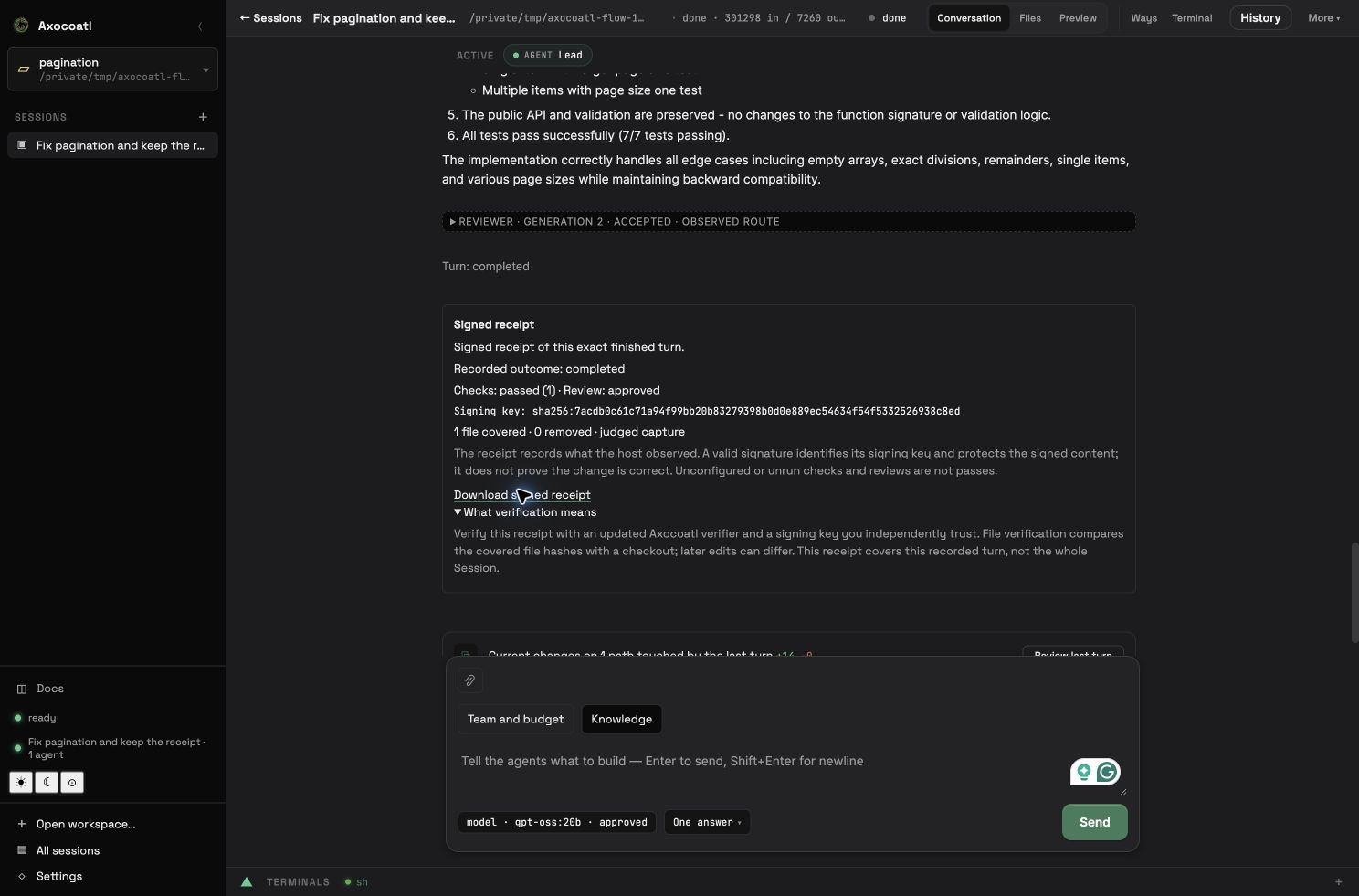
Attach a file for Once or keep it selected for the Session. Axocoatl records the request and immutable context snapshot before the agent begins, so the visible conversation does not depend on a streaming connection staying open.
Stop addresses the exact active turn. Completed, failed, cancelled, and interrupted work remains reachable in History. Review the result against the repository and inspect Last turn through Git.
The Session remains the resting canvas. Supporting surfaces take focus when the job needs them and return you to the same conversation.
Inspect the working tree, open files in the editor, and review the current turn through normal Git changes.
Use the docked Terminal for commands and bring the running application into Preview without leaving the Session.
Attach bounded context to one turn or the Session, then search or export the durable conversation. Native turns retain exact generation controls; legacy single-Agent history supports rewind at a turn boundary.
Detection is not consent: before repository tools become Ready, Axocoatl shows the proposed runtime image and exact setup command for review. An unchecked detected command does not run merely because it was found.
A new Session starts with one Agent. Read-only helpers are opt-in; one Agent works through the repository inside the Session sandbox. The Session workbench →
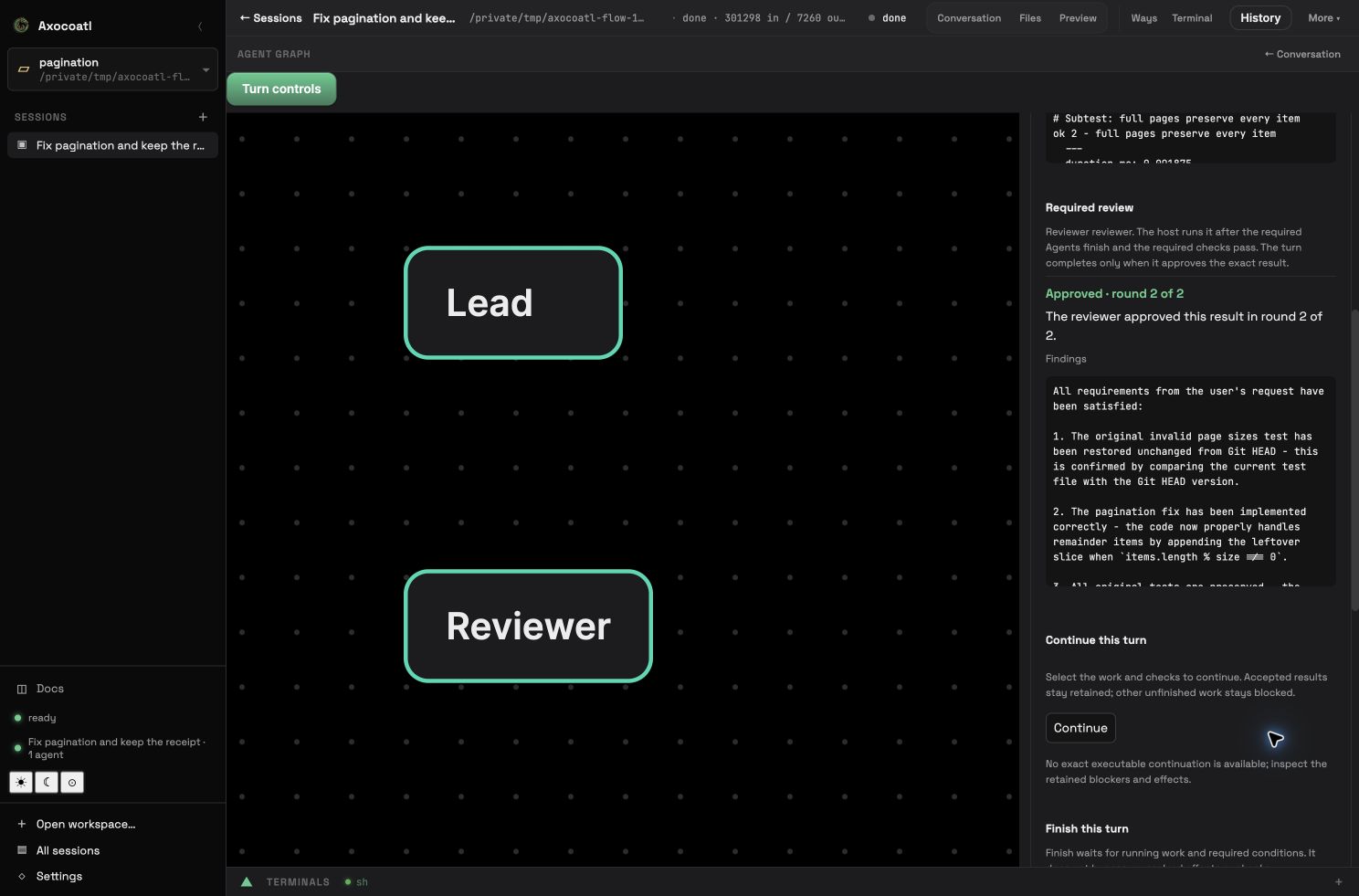
The lead edits files and delegates read-only questions or a review to helpers. Each helper starts in an empty conversation, its limits are reserved from the lead's grant, and its answer returns to the lead. Read about the default team →
Exact named dependencies activate each configured role. Agents receive only the handoffs that caused them to run, and the causal graph stays with the Session turn.
Independent attempts start from the same task and repository state, then run in separate working copies and sandboxes. How Ways work →
The structures are different. A lead delegates read-only tasks to helpers inside one recorded turn. A dependency-ordered team runs configured roles in order and keeps their handoffs. Ways isolate competing implementations. The event feed carries the events Skills publish. An Automation graph executes durable work outside the canonical Session transcript.
Required checks are commands Axocoatl runs in the Session's repository after the Agents finish, each between two captures of the repository. A required review runs a read-only reviewer in a fresh conversation, for 1 to 3 rounds; requested changes go back to the lead. The turn completes only when every check passes and the reviewer approves the exact final tree. Both are off until you add them in Team & budget.
Each Agent's writes list names the paths it may change. Read-only helpers get no file-writing tools, and their shell runs under Linux Landlock, which refuses writing, creating, renaming or deleting repository files and opening TCP connections, where Linux 6.7 or later allows it; otherwise they get no shell. A path-scoped writer's file tools refuse other paths, and every change it made is checked after it finishes. For a writer with a shell, that check is review evidence, not confinement.
Every Agent runs under a grant with the limits you approved. Each provider and tool call is reserved against it before it runs; once the provider reports what a call used, only that stays charged. Grants and budgets carry across restarts. The Session durably records every model call, tool call, budget decision and check.
A loadout is a YAML recipe for one run: its Agents and models, the required checks with their timeouts, an optional required reviewer, the network, the budgets and the prompt. axocoatl run <loadout> drives one Session through the same Team & budget, grants, checks, review and record as the workbench, then decides an outcome and an exit code. Five loadouts are built in: fix, fix-claude-code and fix-codex (fix with Claude Code or Codex as the writer), qa and the opt-in audit. The daemon signs finished loadout outcomes. Native dashboard turns offer their own signed receipts in Conversation and History. A command refused before admission has no run receipt, and a signing failure leaves a warning without changing the verdict. Verify the receipt separately.
A loadout's Session always runs under network egress (or none) with the hardened, non-root workload, whatever the global defaults say. A host that cannot provide that, such as rootful Podman, fails the run instead of weakening it.
0  pass
1  a required check failed
2  needs attention
3  usage
4  daemon unavailable
5  infrastructure
6  interrupted
7 busy: the repository is in useThe normal path is the lead and its helpers, or one Agent. When implementation choices deserve independent evidence, the Session can own several isolated attempts without turning them into separate chats.
Every way receives the same task and repository snapshot, plus the same provider-safe projection of prior Session context. Native provider tool transactions stay in canonical History rather than being replayed into a different model. Choose a different configured agent, provider, or model for each one.
Each way gets an independent no-hardlinks clone mounted as the sole workspace in a fresh rootless Podman container.
Keep every attempt's completion state visible, run the repository Check command, then compare Outcome, Route, changed files, usage, known cost, and optional Judge ranking.
A passing, non-empty result can return to the Session checkout. Keep does not merge or commit; Last turn remains available for deliberate review.
Current boundary: Explore several ways requires a single autonomous-Agent Session using the local Podman backend; coordinator and worker roles stay on the normal Session path. Each way uses its configured primary provider/model directly so retained identity and cost stay accurate. Session attachments are not yet passed to attempts. MCP tools, Skills, and web search are withheld until their external effects have set-scoped rollback semantics.
Runtime capabilities extend Session work. They do not become a second app or a row of peer destinations.
Edit the lead, its helpers, and their models, or run one Agent, with local or hosted model providers assigned to each role.
Connect MCP tools for normal Session work. Publish typed Skills as events that can reach configured observers or trigger Automations.
Create, run, and review durable Automation graphs and their run history in Settings, separate from the canonical Session transcript.
A Skill publishes the event types declared in its configuration. The event feed delivers each notification to configured observers and a bounded recent-events view, while the Automation dispatcher evaluates triggers against the same feed.
The event feed is transport, not an Agent graph, a set of Ways, or an Automation graph. The matching Automation remains an explicit durable workflow with its own run history.
The configured Skill publishes its declared event with producer and payload.
An On Skill or On Event trigger selects the Automation that should react.
The resulting Automation and node state remain reachable in run history.
The Agent finds a configured MCP tool.
A new permission waits for Allow once or Deny.
The allowed call and its result stay with the Turn.
A compatibility Session Agent can discover a configured MCP tool, but discovery is not permission. A call with no matching saved decision pauses the exact Session Turn before dispatch; a saved allow or deny decision is applied without prompting again.
After an allowed call, the returned value, bounded tool evidence, and final answer remain together on the durable Turn. This film uses a deterministic local MCP server and compatibility execution. Native Session turns do not currently expose this configured MCP registry.
Native Sessions share accepted Markdown knowledge inside their Workspace. Notes retain versions, source hashes, typed links, and origin. The Knowledge inspector offers editing, proposal review, backlinks, a code index, and a graph linking notes to source and execution evidence.
Agents can retrieve relevant notes and propose revisions. Automatic publication requires accepted work; an isolated Way also requires its retained Keep selection. A concurrent edit produces a conflict. A saved interpretation remains something to check against its sources.
Keep a decision, convention, finding, or pitfall with its source references and links to other notes.
Refresh the observed source index. Rust, JavaScript, TypeScript, TSX, and Python definitions and import syntax help locate relevant code; this is not a complete call graph.
Attach the selected revision or prepare an investigation in chat. Knowledge is Workspace-owned, while each Session keeps its own conversation and execution history.
Native execution retries a transient provider error or an Ollama stream that ends early once. Older tool output can be replaced by a short placeholder in later requests, and older context is trimmed where possible. If the remaining request cannot fit the context window, Axocoatl reports the limit; failures remain in the record.
Configured agents run as actors inside one Rust daemon. The daemon owns providers, tools, events, and sandbox lifecycle.
Accepted turns, bounded tool evidence, output, failure, cancellation, and interruption remain in canonical History across reconnects. After a daemon restart, interrupted work remains visible. Native work requires explicit continuation; it is not silently replayed.
Native Session repository tools run in a rootless Podman container. Network access is on by default; set network: none for repositories you don't trust. E2B Cloud is an explicit remote option for compatibility execution; native repository tools currently require Podman.
Save a note with its source hash and a typed link to another note. After restart, a separate Session can retrieve the same accepted revision through the native knowledge tool. The two conversations remain separate.
Backlinks make the relationship discoverable. Source context remains something to recheck: retaining a note does not make every interpretation current or correct.
Write a note with the relevant repository path and observed hash.
Add a typed link and inspect the resulting backlink.
Restart and open another Session in the Workspace. Its native Agent can retrieve the saved note with its origin.
Start with one durable Session. Explore several Ways only when the decision needs them.